
Free macOS app
Convert your
GPS tracks.
Turn a GPX file into PLT OziExplorer format with a single drag and drop. Simple, fast, no account required.
macOS 13 · Apple Silicon · Free
What is it for?
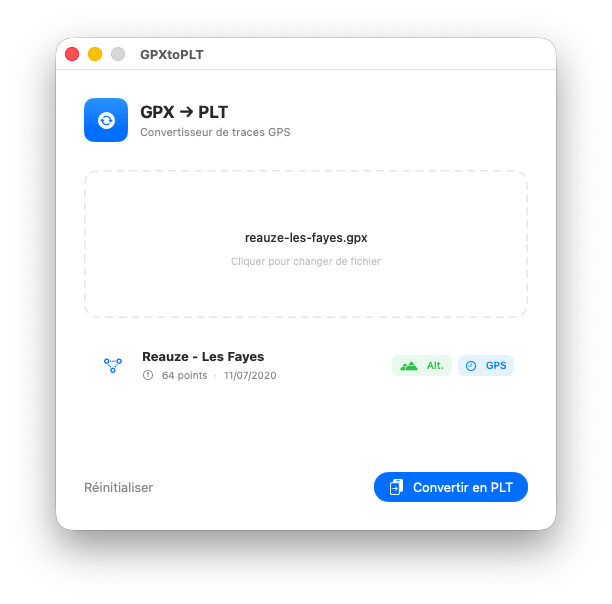
Got a GPX track and your mapping software is waiting for PLT? GPX → PLT does exactly that — nothing more, nothing less. Drop your file onto the window, check the track details and export. Everything is processed locally; your data never leaves your Mac. The app is fully open source and available on GitHub.
Built to be fast.
Drag & Drop
Drag your .gpx file directly onto the window, or use the classic file picker to browse your folders.
Accurate conversion
WGS 84 coordinates, altitude in feet, Delphi timestamp — every PLT field is handled precisely and correctly.
Instant export
Choose the destination folder and filename. Your PLT file is ready in a fraction of a second.
Three steps.
Drop your file
Drag your .gpx file onto the import area, or click to browse your folders.
Review the track
The app instantly shows the track name, point count and the date range of the recording.
Export as PLT
Click Convert to PLT and choose where to save your file.
What are GPX and PLT?
Two essential GPS standards, finally bridged. — Lire en français →
GPS Exchange Format
An open XML-based format produced by virtually all modern GPS devices, sports watches and mobile apps (Garmin, Strava, Komoot…). It stores WGS 84 coordinates, elevation in metres and ISO 8601 timestamps.
OziExplorer Track File
A plain-text format used by OziExplorer and many embedded mapping applications. It encodes WGS 84 coordinates, altitude in feet and dates as a Delphi TDateTime value (days since 30 Dec 1899).
Ready to convert?
Download GPX → PLT for free and start converting your GPS tracks in seconds.
Download — free View source code on GitHub